 上一篇
《鞋店模拟器》 免安装版 中文版
 下一篇
《黑洞:表面边界》 免安装版


MateEngine 游戏介绍 MateEngine MateEngine is a lightweight, customizable desktop companion app that brings 3D anime-style characters to life on your screen. Built with VRM model support, it allows you to inject your own avatars and watch them interact, idle, and even dance—right from your desktop. This project is a alternative aimed at giving users more control and flexibility without relying on expensive model packs or locked-down systems. Whether you want a simple virtual presence or a more animated character hanging out while you work, MateEngine is designed to be approachable and performance-friendly. VRM Models / Frequently Asked Question Important: This app includes the default model “Zome.” Hatsune Miku is not included. To use custom models, you must download them from websites that offer .vrm files, or commission artists who create or convert models to the VRM format. I am not responsible for the quality of third-party models. If you experience clipping or similar issues, the model’s author is responsible, not this app. RELAXE ON WINDOWS Drag your pet onto a window and it will relax on top! Perfect for watching videos she’ll watch with you. Or let her quietly spy while you do your homework, hehe. This feature is experimental and not fully developed. Please avoid using it with apps that have anti-cheat protection enabled. DANCING She will start dancing when you play music! You can decide which apps are allowed to trigger dancing. Open the Options menu, go to the audio sources, and whitelist your music apps. Tip: Start the music app first (e.g. Spotify), then open the menu and add it to the source list! HEAD AND SPINE MOVEMENT Not just the head — her eyes, head, and spine all follow your mouse cursor! This makes the movement look smooth and natural compared to other desktop pets. HAND MOVEMENT Careful! Sometimes she’ll try to grab your mouse — hehe! Move your cursor near her hands or arms and watch her try to catch it! TOUCH REGIONS Hover your mouse over sensitive areas like the head or belly to trigger cute gestures! For example, hovering over her head makes her giggle and spawn sparkle effects, making her feel comfy. CHATTING You can chat with your pet anytime! Just note that it’s a small, local AI with simple messages. For more complex conversations, you can use mods with your own models and messages! RELAXING When you drag her to the taskbar, she’ll lay down and relax on a big candy macaron,watching your mouse cursor with sleepy eyes. DRAGGING8 You can reposition her by clicking and dragging her with your mouse. Just hold the button down and move her wherever you like! CHIBI MODE Hold your mouse over her feet for a few seconds and she’ll transform into a tiny, adorable chibi version of herself — extra smol and cute! CUSTOMIZATIONS You can change her size, animation speed, language, and modes. There are also graphics and FPS settings for low-end (potato) PCs! DARK MODE You can turn off lighting — perfect for VRM models with emissive textures! Pair it with the glow/bloom toggle and your pet will shine like a diamond in the dark MODDING Modding is supported! Load your own VRM model by pressing the VRM button.If your model doesn’t load, it’s likely corrupted or not exported correctly.Make sure to export using the correct format: VRM0.X: Uses MToon Shader VRM1.X: Uses MToon10 ShaderAlso make sure your model uses a proper humanoid bone setup.MateEngine follows the official VRM loading specification, so model issues are not caused by the app. How To Use It’s easy! Just start MateEngine and you’ll be greeted by Zome. Right-click Zome to open the Options menu — here you can change graphics, effects, audio, and choose which apps make the pet dance. Tip: Start the sound app (e.g. Spotify) and play something before opening the menu, or it won’t appear in the sound source list. Then add it to the Danceability list and save. Key Features Idle Animations: 10 different idle animations for when the pet is relaxing on your desktop! Drag Animation: 1 drag animation plays when you move your pet around the desktop. Dance Animation: The pet dances when music plays on apps like Spotify, Chrome, and others! Head Tracking: The pet follows your mouse with its head. Eye Tracking: The pet’s eyes also follow your mouse for extra detail! Hand Tracking: When you hover your mouse near its hands, the pet will try to catch and hold it! Head Pats: Hovering over the pet’s head makes it shake, jiggle, and spawn adorable heart particles. Spine / Chest Tracking: Head, eye, and hand tracking aren’t enough! When you move the mouse, the pet will also move its upper body in that direction to make movement more realistic! Chibi Mode: Hover over its feet for 3 seconds to transform the pet into a chibi version! Works with custom VRM models. Sensitive Parts: The pet will react shyly and cover certain areas if you hover over them. Custom VRM Support: Load any VRM using MToon shaders (UniVRM VRM0). VRM1.X (MToon10) support coming soon! Particle Effects: Includes various particle effects, with more to come! Auto-Load Custom VRM: Your custom model loads automatically on startup. Performance MateEngine is designed to be lightweight on CPU and GPU resources. RAM usage depends on your model’s complexity, especially texture sizes. For example, a high-res VRM model may use around 200MB of RAM. Simpler models use significantly less. Animation transitions are smooth and fluid, providing a more natural experience compared to other apps in this space. Planned Features (Upcoming Updates) Menu color customization Wallpaper Engine integration Optional support for avatars sitting on windows or the taskbar Known Limitations Taskbar/window sitting is currently disabled to avoid triggering anti-cheat systems in certain games. Community and Contributions MateEngine is open-source. IIf you’re a developer or just curious about how it works, you’re welcome to explore the project, contribute features, or build your own versions using Unity. 系统需求 最低配置:需要64位处理器和操作系统操作系统:Windows11处理器:AMD Ryzen 3 1200内存:4GBRAM显卡:GTX1050DIRECTX版本:11存储空间:需要4GB可用空间声卡:WindowsStandard附注事项: Windows 10 is supported but not tested. 推荐配置:需要64位处理器和操作系统操作系统:Windows 11处理器:AMDRyzen53600X内存:8GBRAM显卡:GTX1070orHigherDIRECTX版本:11存储空间:需要6GB可用空间声卡:WindowsStandard附注事项: Windows 10 is supported but not tested. 游戏下载 《MateEngine》中文版免安装 《MateEngine》中文版免安装 游戏类型:其他游戏 开发厂商:Shinyflvres 更新时间:2025-06-12 发售日期:2025年4月16日 游戏平台:PC 游戏语言:繁中 标签:动漫 8.0 已有1人评分 您还未评分! 《MateEngine》是一款由Shinyflvres制作Shinymoon发行的休闲益智类游戏。MateEngine是一款轻量级桌面配套应用程序,完全支持自定义VRM模型。通过空闲动画、拖放和舞蹈功能、低资源使用和开源,让3D动画风格的角色在屏幕上栩栩如生。 MateEngine游戏背景 MateEngine MateEngine是一款轻量级、可定制的桌面配套应用程序,可将3D动画风格的角色带入屏幕。内置VRM模型支持,它允许您注入自己的化身,并从桌面上观看它们的互动、空闲甚至跳舞。 该项目是一个替代方案,旨在为用户提供更多的控制和灵活性,而不依赖昂贵的模型包或锁定系统。无论您是想要一个简单的虚拟存在,还是在工作时挂起一个更动画的角色,MateEngine的设计都是方便和性能友好的。 MateEngine游戏内容 VRM模型/常见问题 重要提示:此应用程序包括默认模型“Zome”。不包括Hatsune Miku。 要使用自定义模型,您必须从提供.vrm文件的网站下载它们,或委托创建或将模型转换为vrm格式的艺术家。 我不对第三方模型的质量负责。如果您有剪辑或类似问题的经验,则模型作者负责,而不是此应用程序。 在Windows上放松 把你的宠物拖到窗户上,它会在上面放松!非常适合观看视频,她会和你一起观看。或者让她安静地监视你做家务的时候,呵呵。 此功能是实验性的,尚未完全开发。请避免将其用于启用反作弊保护的应用程序。 跳舞:当你播放音乐时,她会开始跳舞!您可以决定允许哪些应用程序触发舞蹈。打开选项菜单,转到音频源,并将音乐应用程序列入白名单。提示:先启动音乐应用程序(如Spotify),然后打开菜单并将其添加到源列表! 头部和脊柱运动:不仅仅是头-她的眼睛、头和脊柱都跟着你的鼠标光标!与其他桌面宠物相比,这使运动看起来平滑自然。 手部运动:小心!有时她会试图抓住你的老鼠-呵呵!把你的光标移到她的手或手臂附近,看着她抓住它! 接触区域:将鼠标悬停在敏感区域,如头部或腹部,以触发可爱的手势!例如,悬停在她的头上会使她起跳并产生闪光效果,让她感觉舒适。 聊天:你可以随时和你的宠物聊天!请注意,这是一个小型本地人工智能,消息简单。对于更复杂的对话,您可以将mods与自己的模型和消息一起使用! 放松:当你把她拖到任务栏时,她会躺下来,在一个大糖果杏仁饼上放松,用昏昏欲睡的眼睛看鼠标光标。 拖拽:你可以用鼠标点击并拖动她来重新定位她。只需按住按钮,随心所欲地移动它! Chibi模式:把你的老鼠放在她的脚上几秒钟,她就会变成一只小老鼠,可爱的Chibi版本的她自己-额外的烟雾和可爱! 定制:您可以更改其大小、动画速度、语言和模式。还有低端(土豆)电脑的图形和FPS设置! 黑暗模式:您可以关闭照明-非常适合具有发射纹理的VRM模型!搭配发光/开花开关,你的宠物会像黑暗中的钻石一样闪闪发光 修改:支持修改!按VRM按钮加载您自己的VRM模型。如果您的模型未加载,则可能已损坏或未正确导出。 确保使用正确的格式导出: Vrm0.x:使用mtoon着色器 VRM1.x:使用mtoon10着色器 此外,确保您的模型使用适当的人形骨设置。 MateEngine遵循官方VRM加载规范,因此应用程序不会导致模型问题。 如何使用:很容易!只需启动MateEngine,您就会受到Zome的欢迎。右键单击Zome打开选项菜单-在这里您可以更改图形、效果、音频,并选择哪些应用程序可以让宠物跳舞。提示:启动声音应用程序(如Spotify)并在打开菜单前播放一些内容,否则它不会出现在声音源列表中。然后将其添加到可跳舞性列表并保存。 MateEngine游戏特色 关键功能 空闲动画:当宠物在桌面上放松时,10种不同的空闲动画! 拖动动画:当你在桌面上移动宠物时,1个拖动动画播放。 舞蹈动画:当音乐在Spotify、Chrome等应用程序上播放时,宠物跳舞! 头部跟踪:宠物用头跟着你的老鼠。 眼睛跟踪:宠物的眼睛也跟着你的老鼠看更多细节! 手跟踪:当你把鼠标靠近他的手时,宠物会试图抓住并抓住它! Head Pats:悬停在宠物的头上会使它摇晃、抖动,并产生可爱的心脏颗粒。 脊柱/胸部跟踪:头部、眼睛和手部跟踪不够!当你移动老鼠时,宠物也会朝着这个方向移动它的上身,让移动更加现实! Chibi模式:悬停在脚上3秒,将宠物变成Chibi版本!适用于自定义VRM模型。 敏感部件:如果你悬停在某些区域,宠物会变得害羞并覆盖它们。 自定义VRM支持:使用MToon着色器加载任何VRM(UniVRM VRM0)。VRM1.x(MTOON10)支持即将推出! 粒子效果:包括各种粒子效果,还有更多! 自动加载自定义VRM:您的自定义模型在启动时自动加载。 MateEngine游戏性能 MateEngine旨在减轻CPU和GPU资源的负担。RAM使用取决于模型的复杂性,尤其是纹理大小。例如,高分辨率VRM模型可能使用大约200MB的RAM。动画过渡平滑流畅,与此空间中的其他应用程序相比,提供了更自然的体验。 计划功能(即将更新) 菜单颜色定制 壁纸引擎集成 可选支持坐在Windows或任务栏上的化身 已知限制 目前禁用任务栏/窗口坐着,以避免在某些游戏中触发反作弊系统。 社区和贡献 MateEngine是开源的。如果您是一名开发人员或只是好奇它的工作原理,欢迎您探索项目,贡献功能,或使用Unity构建自己的版本。
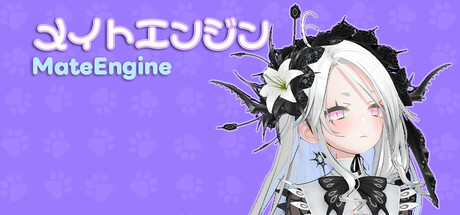
MateEngine
MateEngine is a lightweight, customizable desktop companion app that brings 3D anime-style characters to life on your screen. Built with VRM model support, it allows you to inject your own avatars and watch them interact, idle, and even dance—right from your desktop.
This project is a alternative aimed at giving users more control and flexibility without relying on expensive model packs or locked-down systems. Whether you want a simple virtual presence or a more animated character hanging out while you work, MateEngine is designed to be approachable and performance-friendly.
VRM Models / Frequently Asked Question
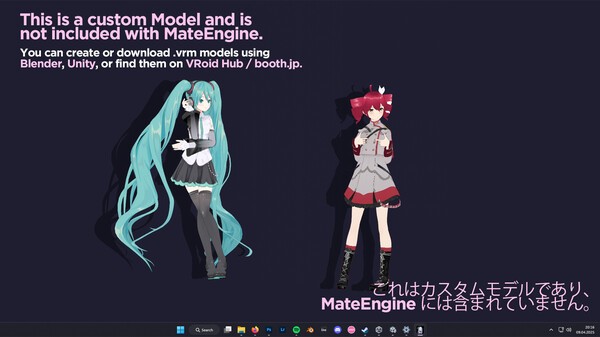
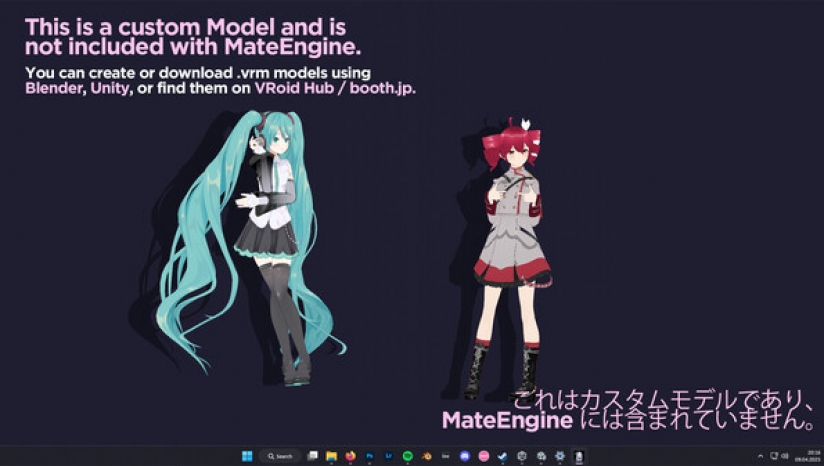
Important: This app includes the default model “Zome.” Hatsune Miku is not included.
To use custom models, you must download them from websites that offer .vrm files, or commission artists who create or convert models to the VRM format.
I am not responsible for the quality of third-party models. If you experience clipping or similar issues, the model’s author is responsible, not this app.
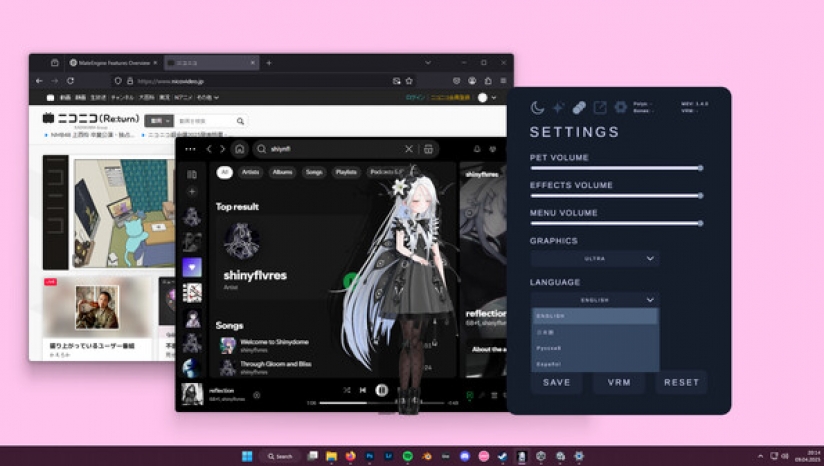
RELAXE ON WINDOWS
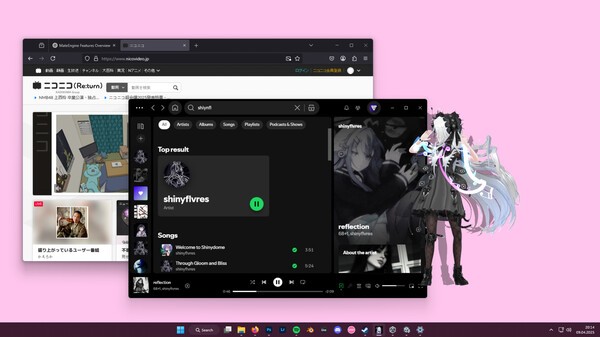
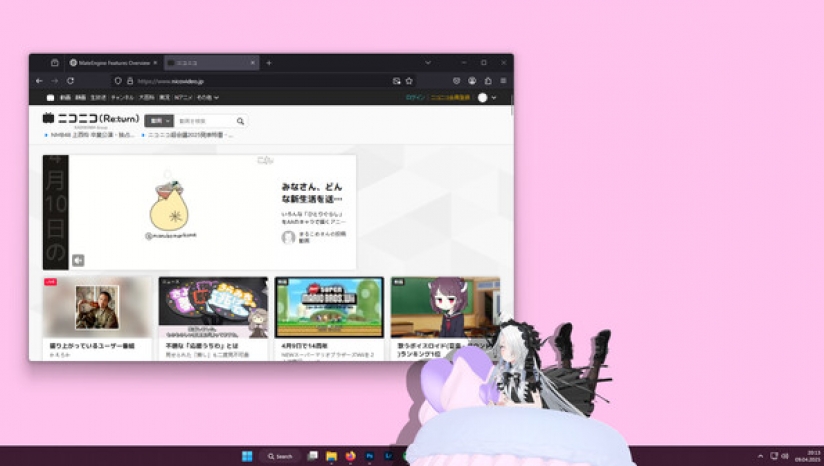
Drag your pet onto a window and it will relax on top! Perfect for watching videos she’ll watch with you. Or let her quietly spy while you do your homework, hehe.
This feature is experimental and not fully developed. Please avoid using it with apps that have anti-cheat protection enabled.
DANCING
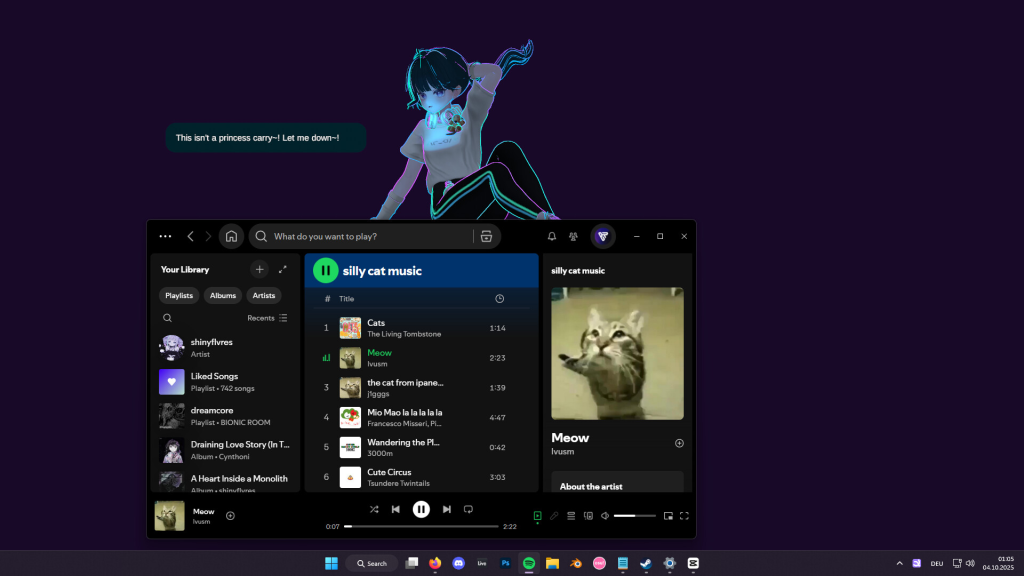
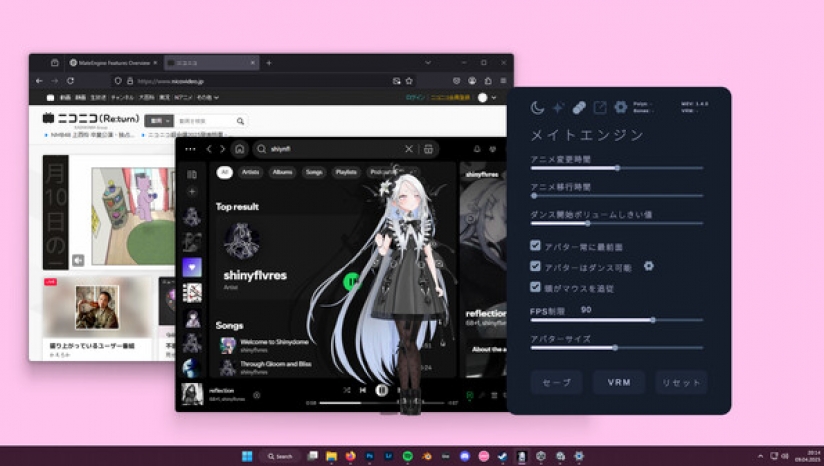
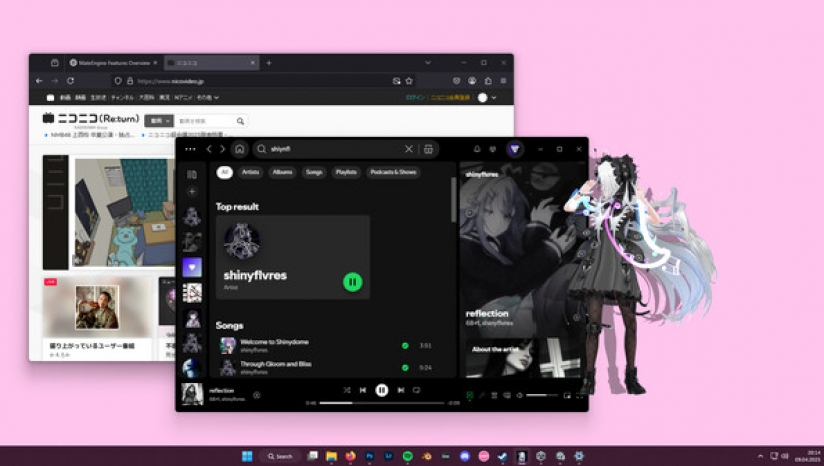
She will start dancing when you play music! You can decide which apps are allowed to trigger dancing.
Open the Options menu, go to the audio sources, and whitelist your music apps.
Tip: Start the music app first (e.g. Spotify), then open the menu and add it to the source list!
HEAD AND SPINE MOVEMENT
Not just the head — her eyes, head, and spine all follow your mouse cursor!
This makes the movement look smooth and natural compared to other desktop pets.
HAND MOVEMENT
Careful! Sometimes she’ll try to grab your mouse — hehe!
Move your cursor near her hands or arms and watch her try to catch it!
TOUCH REGIONS
Hover your mouse over sensitive areas like the head or belly to trigger cute gestures!
For example, hovering over her head makes her giggle and spawn sparkle effects, making her feel comfy.
CHATTING
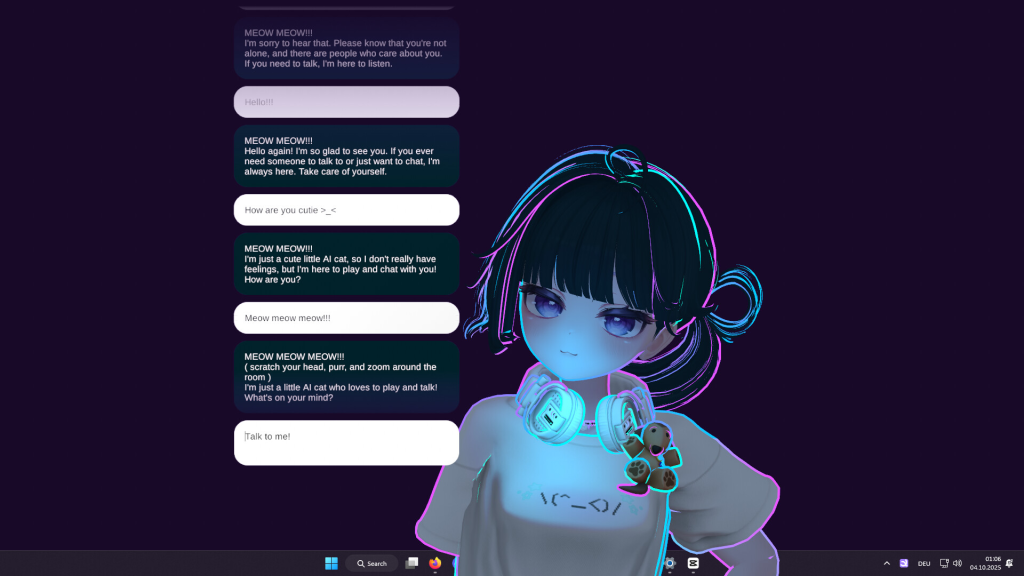
You can chat with your pet anytime! Just note that it’s a small, local AI with simple messages.
For more complex conversations, you can use mods with your own models and messages!
RELAXING
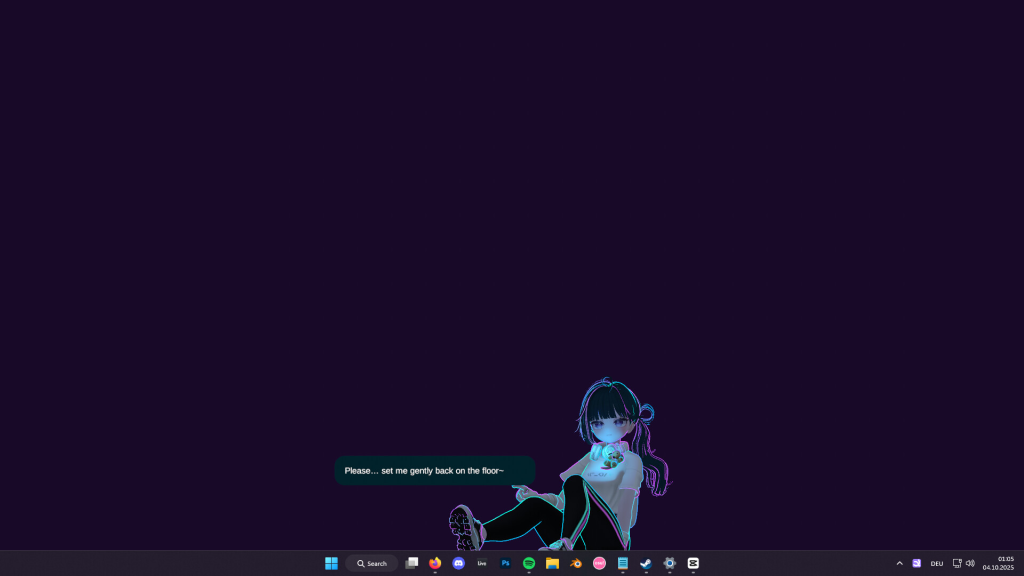
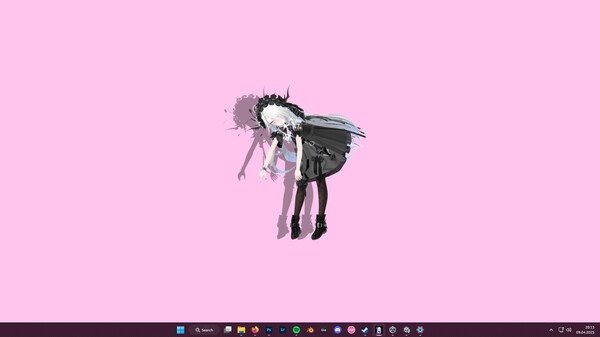
When you drag her to the taskbar, she’ll lay down and relax on a big candy macaron,
watching your mouse cursor with sleepy eyes.
DRAGGING8
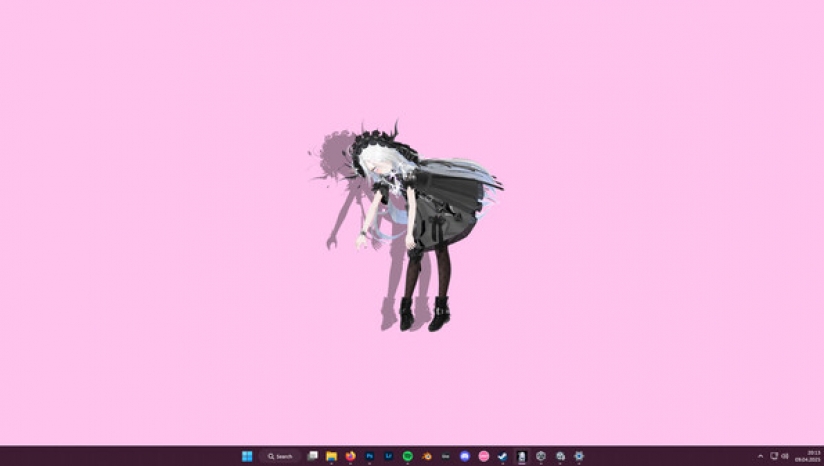
You can reposition her by clicking and dragging her with your mouse.
Just hold the button down and move her wherever you like!
CHIBI MODE
Hold your mouse over her feet for a few seconds and she’ll transform into a tiny,
adorable chibi version of herself — extra smol and cute!
CUSTOMIZATIONS
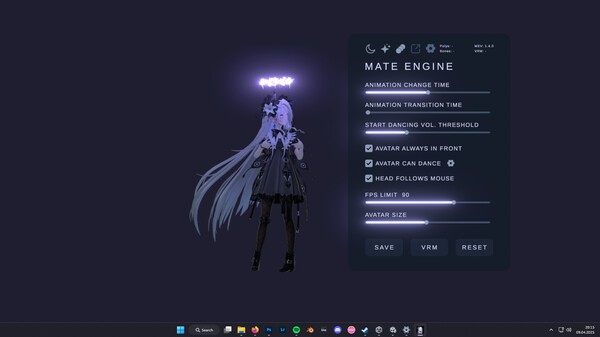
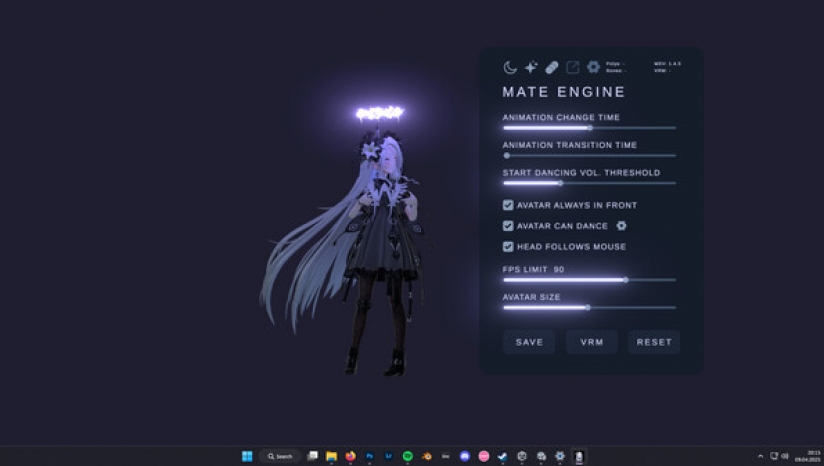
You can change her size, animation speed, language, and modes.
There are also graphics and FPS settings for low-end (potato) PCs!
DARK MODE
You can turn off lighting — perfect for VRM models with emissive textures!
Pair it with the glow/bloom toggle and your pet will shine like a diamond in the dark
MODDING
Modding is supported! Load your own VRM model by pressing the VRM button.
If your model doesn’t load, it’s likely corrupted or not exported correctly.
Make sure to export using the correct format:
How To Use
It’s easy! Just start MateEngine and you’ll be greeted by Zome.
Right-click Zome to open the Options menu — here you can change graphics, effects, audio, and choose which apps make the pet dance.
Tip: Start the sound app (e.g. Spotify) and play something before opening the menu, or it won’t appear in the sound source list. Then add it to the Danceability list and save.
Key Features
Performance
MateEngine is designed to be lightweight on CPU and GPU resources. RAM usage depends on your model’s complexity, especially texture sizes. For example, a high-res VRM model may use around 200MB of RAM. Simpler models use significantly less.
Animation transitions are smooth and fluid, providing a more natural experience compared to other apps in this space.
Planned Features (Upcoming Updates)
Known Limitations
Community and Contributions
MateEngine is open-source. IIf you’re a developer or just curious about how it works, you’re welcome to explore the project, contribute features, or build your own versions using Unity.
最低配置:
需要64位处理器和操作系统
操作系统:Windows11
处理器:AMD Ryzen 3 1200
内存:4GBRAM
显卡:GTX1050
DIRECTX版本:11
存储空间:需要4GB可用空间
声卡:WindowsStandard
附注事项: Windows 10 is supported but not tested.
推荐配置:
需要64位处理器和操作系统
操作系统:Windows 11
处理器:AMDRyzen53600X
内存:8GBRAM
显卡:GTX1070orHigher
DIRECTX版本:11
存储空间:需要6GB可用空间
声卡:WindowsStandard
附注事项: Windows 10 is supported but not tested.
游戏类型:
其他游戏
开发厂商:
Shinyflvres
更新时间:
2025-06-12
发售日期:
2025年4月16日
游戏平台:
PC
游戏语言:
繁中
标签:
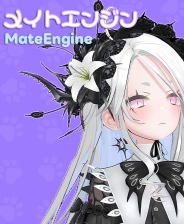
《MateEngine》是一款由Shinyflvres制作Shinymoon发行的休闲益智类游戏。MateEngine是一款轻量级桌面配套应用程序,完全支持自定义VRM模型。通过空闲动画、拖放和舞蹈功能、低资源使用和开源,让3D动画风格的角色在屏幕上栩栩如生。
MateEngine
MateEngine是一款轻量级、可定制的桌面配套应用程序,可将3D动画风格的角色带入屏幕。内置VRM模型支持,它允许您注入自己的化身,并从桌面上观看它们的互动、空闲甚至跳舞。
该项目是一个替代方案,旨在为用户提供更多的控制和灵活性,而不依赖昂贵的模型包或锁定系统。无论您是想要一个简单的虚拟存在,还是在工作时挂起一个更动画的角色,MateEngine的设计都是方便和性能友好的。
VRM模型/常见问题
重要提示:此应用程序包括默认模型“Zome”。不包括Hatsune Miku。
要使用自定义模型,您必须从提供.vrm文件的网站下载它们,或委托创建或将模型转换为vrm格式的艺术家。
我不对第三方模型的质量负责。如果您有剪辑或类似问题的经验,则模型作者负责,而不是此应用程序。
在Windows上放松
把你的宠物拖到窗户上,它会在上面放松!非常适合观看视频,她会和你一起观看。或者让她安静地监视你做家务的时候,呵呵。
此功能是实验性的,尚未完全开发。请避免将其用于启用反作弊保护的应用程序。
跳舞:当你播放音乐时,她会开始跳舞!您可以决定允许哪些应用程序触发舞蹈。打开选项菜单,转到音频源,并将音乐应用程序列入白名单。提示:先启动音乐应用程序(如Spotify),然后打开菜单并将其添加到源列表!
头部和脊柱运动:不仅仅是头-她的眼睛、头和脊柱都跟着你的鼠标光标!与其他桌面宠物相比,这使运动看起来平滑自然。
手部运动:小心!有时她会试图抓住你的老鼠-呵呵!把你的光标移到她的手或手臂附近,看着她抓住它!
接触区域:将鼠标悬停在敏感区域,如头部或腹部,以触发可爱的手势!例如,悬停在她的头上会使她起跳并产生闪光效果,让她感觉舒适。
聊天:你可以随时和你的宠物聊天!请注意,这是一个小型本地人工智能,消息简单。对于更复杂的对话,您可以将mods与自己的模型和消息一起使用!
放松:当你把她拖到任务栏时,她会躺下来,在一个大糖果杏仁饼上放松,用昏昏欲睡的眼睛看鼠标光标。
拖拽:你可以用鼠标点击并拖动她来重新定位她。只需按住按钮,随心所欲地移动它!
Chibi模式:把你的老鼠放在她的脚上几秒钟,她就会变成一只小老鼠,可爱的Chibi版本的她自己-额外的烟雾和可爱!
定制:您可以更改其大小、动画速度、语言和模式。还有低端(土豆)电脑的图形和FPS设置!
黑暗模式:您可以关闭照明-非常适合具有发射纹理的VRM模型!搭配发光/开花开关,你的宠物会像黑暗中的钻石一样闪闪发光
修改:支持修改!按VRM按钮加载您自己的VRM模型。如果您的模型未加载,则可能已损坏或未正确导出。
确保使用正确的格式导出:
Vrm0.x:使用mtoon着色器
VRM1.x:使用mtoon10着色器
此外,确保您的模型使用适当的人形骨设置。
MateEngine遵循官方VRM加载规范,因此应用程序不会导致模型问题。
如何使用:很容易!只需启动MateEngine,您就会受到Zome的欢迎。右键单击Zome打开选项菜单-在这里您可以更改图形、效果、音频,并选择哪些应用程序可以让宠物跳舞。提示:启动声音应用程序(如Spotify)并在打开菜单前播放一些内容,否则它不会出现在声音源列表中。然后将其添加到可跳舞性列表并保存。
关键功能
空闲动画:当宠物在桌面上放松时,10种不同的空闲动画!
拖动动画:当你在桌面上移动宠物时,1个拖动动画播放。
舞蹈动画:当音乐在Spotify、Chrome等应用程序上播放时,宠物跳舞!
头部跟踪:宠物用头跟着你的老鼠。
眼睛跟踪:宠物的眼睛也跟着你的老鼠看更多细节!
手跟踪:当你把鼠标靠近他的手时,宠物会试图抓住并抓住它!
Head Pats:悬停在宠物的头上会使它摇晃、抖动,并产生可爱的心脏颗粒。
脊柱/胸部跟踪:头部、眼睛和手部跟踪不够!当你移动老鼠时,宠物也会朝着这个方向移动它的上身,让移动更加现实!
Chibi模式:悬停在脚上3秒,将宠物变成Chibi版本!适用于自定义VRM模型。
敏感部件:如果你悬停在某些区域,宠物会变得害羞并覆盖它们。
自定义VRM支持:使用MToon着色器加载任何VRM(UniVRM VRM0)。VRM1.x(MTOON10)支持即将推出!
粒子效果:包括各种粒子效果,还有更多!
自动加载自定义VRM:您的自定义模型在启动时自动加载。
MateEngine旨在减轻CPU和GPU资源的负担。RAM使用取决于模型的复杂性,尤其是纹理大小。例如,高分辨率VRM模型可能使用大约200MB的RAM。动画过渡平滑流畅,与此空间中的其他应用程序相比,提供了更自然的体验。
计划功能(即将更新)
菜单颜色定制
壁纸引擎集成
可选支持坐在Windows或任务栏上的化身
已知限制
目前禁用任务栏/窗口坐着,以避免在某些游戏中触发反作弊系统。
社区和贡献
MateEngine是开源的。如果您是一名开发人员或只是好奇它的工作原理,欢迎您探索项目,贡献功能,或使用Unity构建自己的版本。
本站提供的资源转载自国内外各大媒体和网络,仅供试玩体验;不得将上述内容用于商业或者非法用途,否则,一切后果请用户自负。您必须在下载后的24个小时之内,从您的电脑中彻底删除上述内容。如果您喜欢该游戏内容,请支持正版,购买注册,得到更好的正版服务。我们非常重视版权问题,如有侵权请邮件与我们联系处理。
上一篇
《鞋店模拟器》 免安装版 中文版
下一篇
《黑洞:表面边界》 免安装版
还没有玩家留言,来抢沙发吧~